Requirements
To download your data you need an account on the UNF servers. You also need to know which group you belong to.
You have two different ways to retrieve your MRI data:
Use a terminal (Linux, Mac)
Use an SFTP client (Windows, Mac, Linux)
Using the terminal (Mac, Linux, advanced Windows users)
Open a terminal and use the ssh command to retrieve your MRI data in a tar.gz archive. Replace the unf_login and path to your dicoms fields, as well as the destination tar.gz file.
Download a folder and create a tar.gz archive
ssh unf_login@elm.criugm.qc.ca tar czf - /path/to/your/dicom/ > destination_file_on_your_computer.tar.gz
Download a tar.gz archive
rsync -azvL unf_login@elm.criugm.qc.ca:/unf/dicoms/by_groups_tar/path_to_your_dicoms destination_folder_on_your_computer
Using an SFTP client
Installation
Filezilla is a software we recommend and it is available on all OS (Windows, Mac, Linux). You can download it by following this link Filezilla.
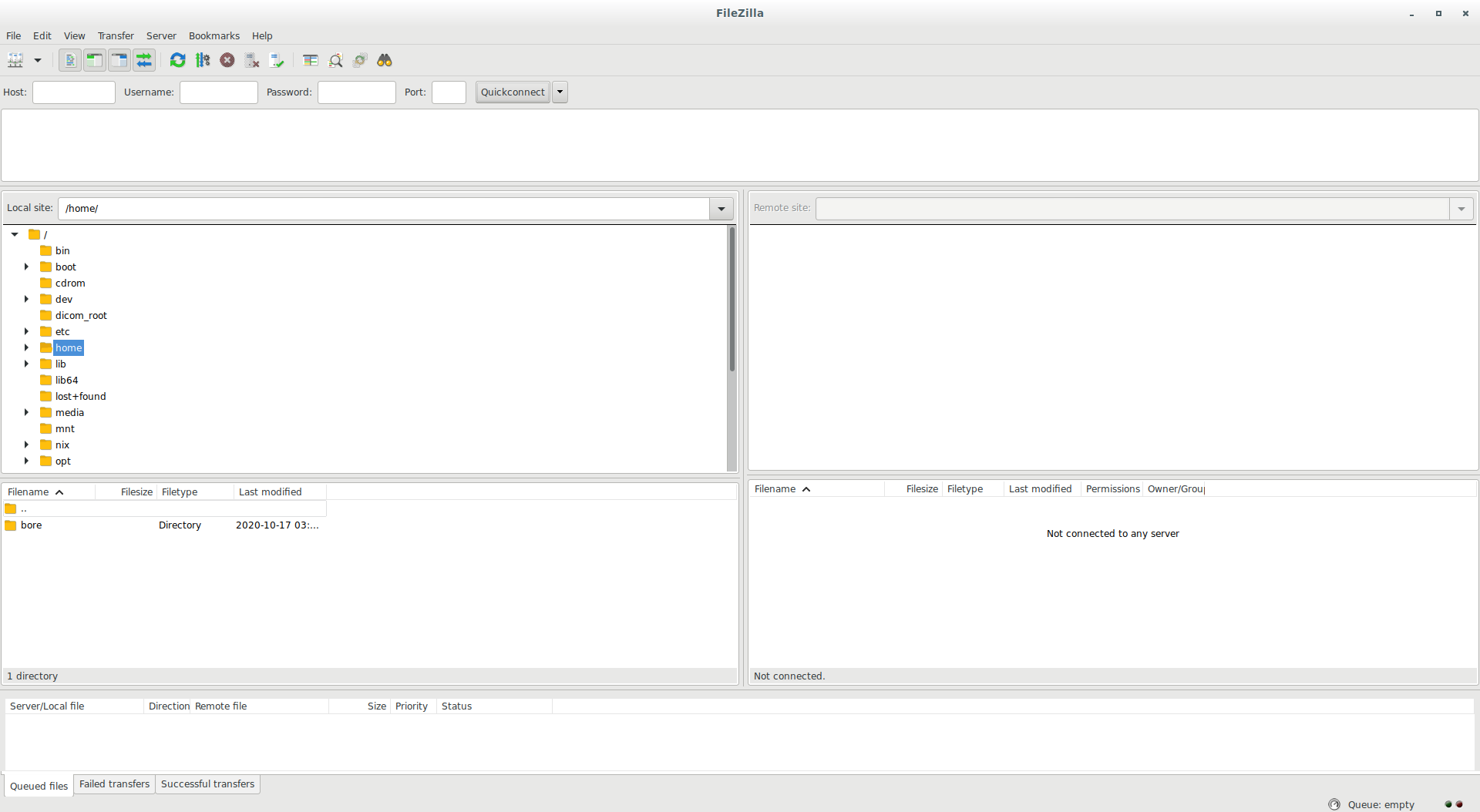
Configuration - first use
Start Filezilla and open the menu File -> Site Manager You should see the following window:
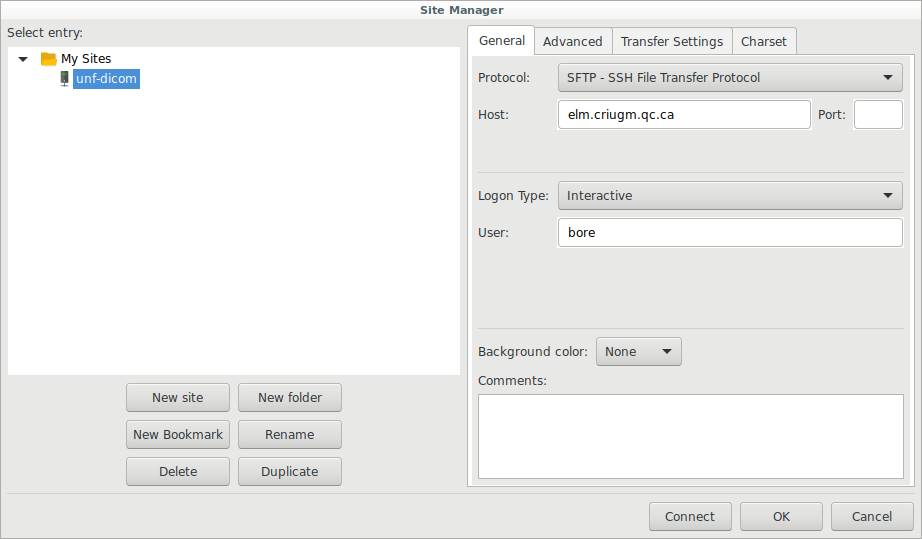
Create a new site that you can name unf-dicom for example and fill in the different fields:
Host: elm.criugm.qc.ca
Protocol: SFTP-SSH File Transfer Protocol
Login Type: Interactive
User: this is the UNF username that was created for you when you made your account request.
Then click the Connect button.
You may see the following window appear:
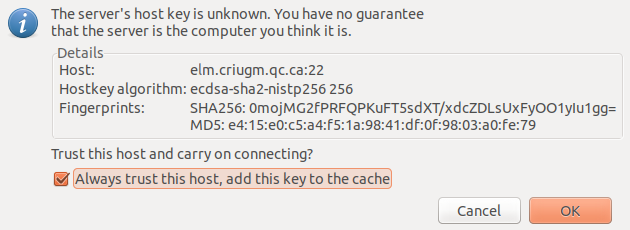
Click on Always trust and click OK.
Finally Filezilla will ask for your UNF password as shown in the following window:
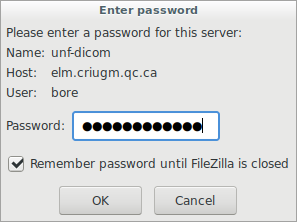
You are now connected to the UNF servers and you should see a similar window.
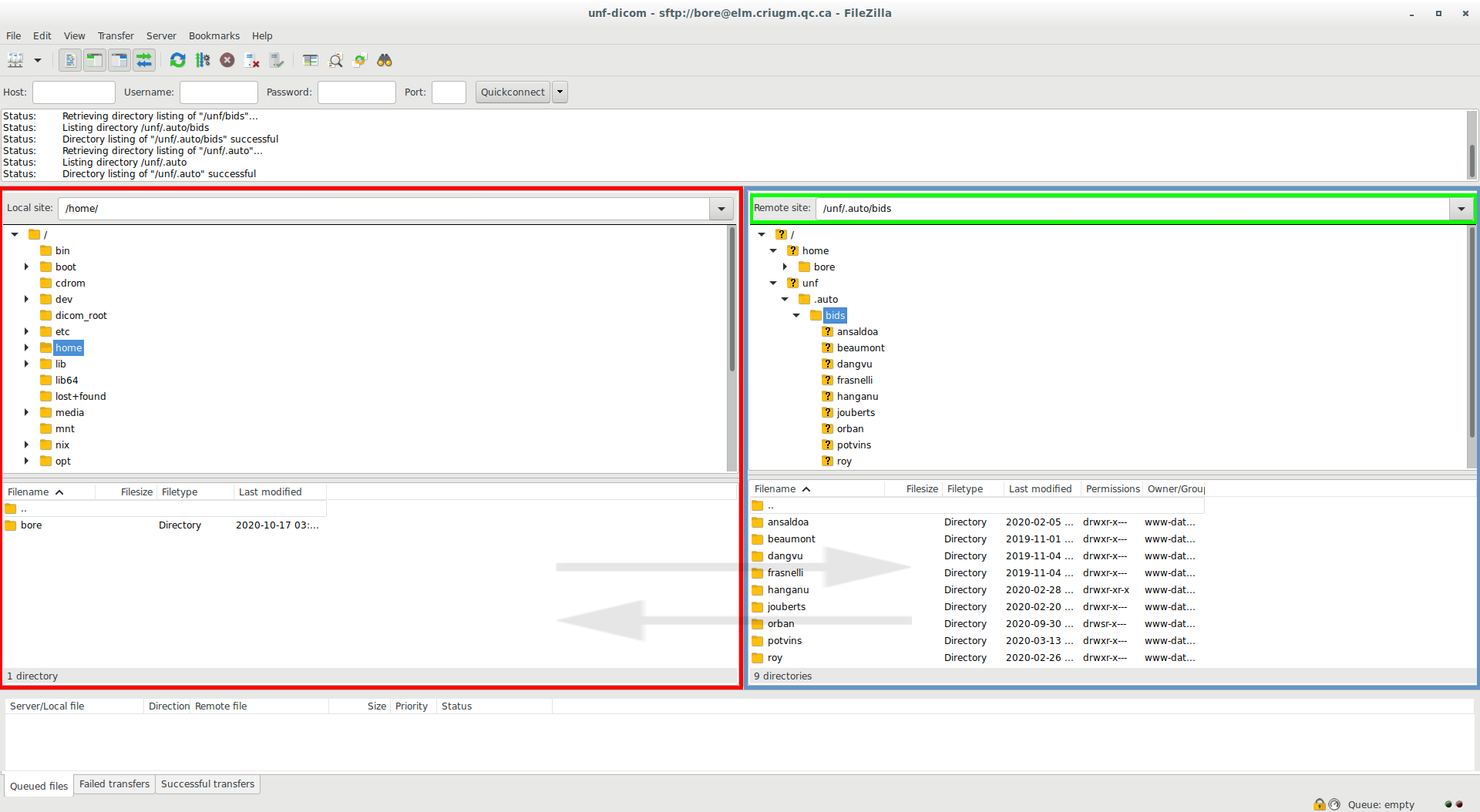
Red: your file system on your computer.
Blue: the file system on the server.
Green: path used on the server
You can move files from right to left or vice versa to download and/or send data to the server.
Access to your MRI data
Your MRI data can be located in 3 different places. Replace groupName with your group.
/unf/bids/groupNameif you requested/coordinated an automatic BIDS conversion/unf/dicoms/by_groups_tar/groupNameif your data is relatively old (before 2016)/unf/dicoms/by_groups/groupNameif your data was acquired more recently
If you would like help downloading your data, please do not hesitate to send an email to the following address: support.unf.